
|
|
|
|
It seems that I have caused some confusion by using the nickname FSNav instead of the real name of the program
which is FSNavigator FSNavigator is for FS9 and there is nothing to compare with it for FSX. It was available at www.fsnavigator.com as Payware but the author unfortunately is no longer able to continue to support it. Before his web site expired he did provide a version that does not require registration. I have it available here for download fsnav470.zip 10,008kb
FSNavigator has a lot of great features but this tutorial is just going to show you how to get started
using it in multiplayer so you can see where the other players are. |
|
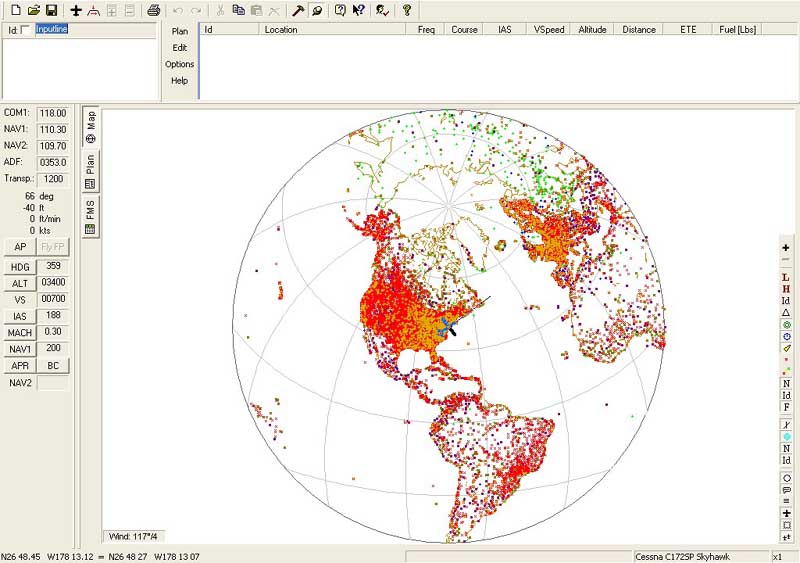
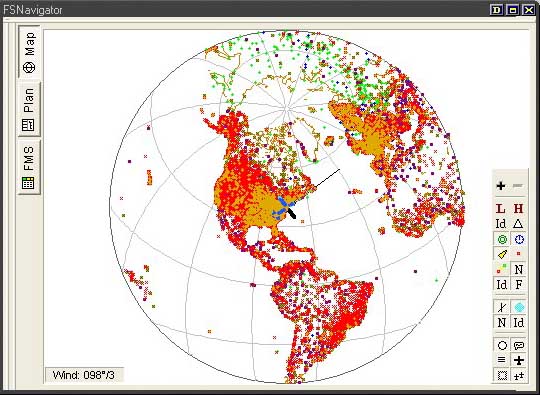
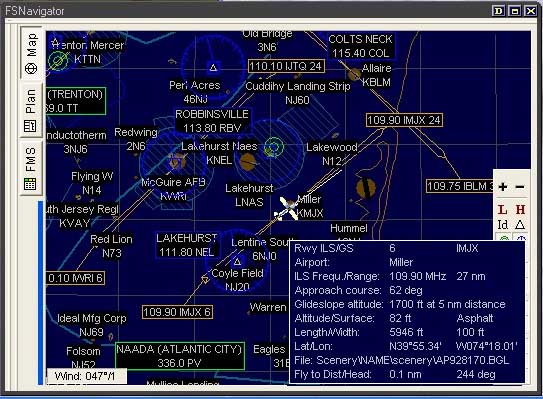
What you see is my plane in New Jersey USA and which direction I am facing.
If it's daytime where your computer is the background is white. At night it will be dark blue.
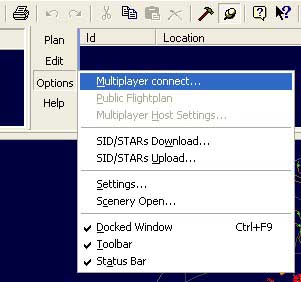
Select Options and then Multiplayer connect...
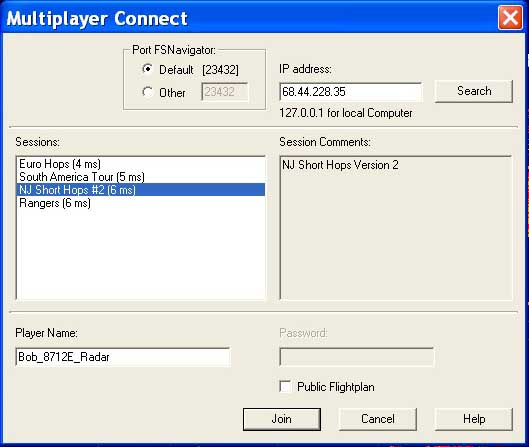
You will now see a window like this....
Before we go any further, lets make this thing a smaller window so you can us FSNAV while you fly your plane.
Look for this magic button and click on it...

Now you should have a window that looks like this....
If you have more than one display, you can slide this over to another display
 Use these to zoom in and out
 This should be pressed in to show your plane
 This should be pressed in to show the other players
 Press this one in to have the map follow your plane
Look close at my buttons to see if you have the same ones selected.
Your map should look the same as mine for best results. FSNAV will remember your preferances.
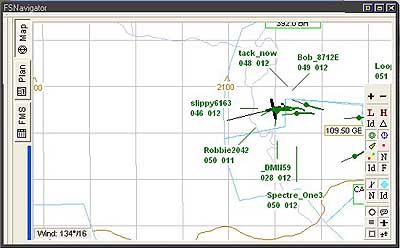
| The information for each player is abreviated. In this example: Bob_8712E 049 012
Bob_8712E is at 4,900 feet with a speed of 120 knots The other players are shown as round dots with the thin line in the direction that they are heading and a thick line behind them of where they were. |
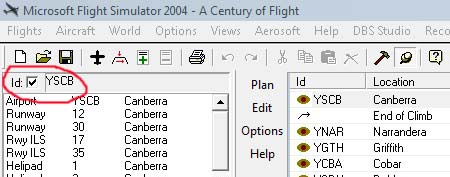
| The other method is to enter the airport or navaid ID. In the upper left, check the "id" box, type in the ID and hit "Enter". A list of all the options for that ID should appear. In this case you want the Airport. Click on it and drag it over to the Flight Plan to the right. Waypoints in the flightplan can be "dragged" in the list to rearrange the plan. |
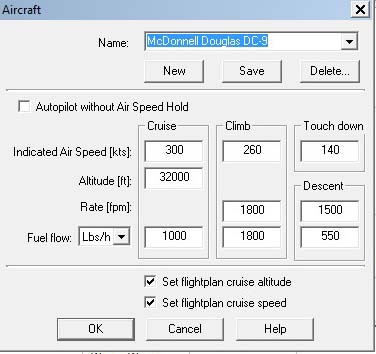
| Your new flight plan contains speeds and altitudes. You can change these to fit your aircraft. Select the  airplane icon. airplane icon.It will open this window where you can select an aircraft and change the values. Don't forget to save your plan while you are working on it. If your FSNav is connected to a server, under "Options" you can select "Public Flightplan" and others can use your plan. |
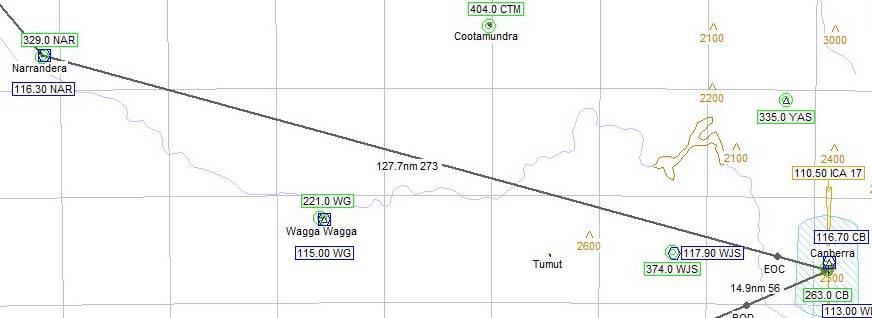
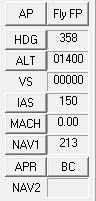
| So, now you have a flightplan and I suppose you would like to fly it. On the lower left side of the FSNav screen are the Autopilot buttons. The "Fly FP" button is the important one. Play with the buttons and watch your plane fly the flightplan. |
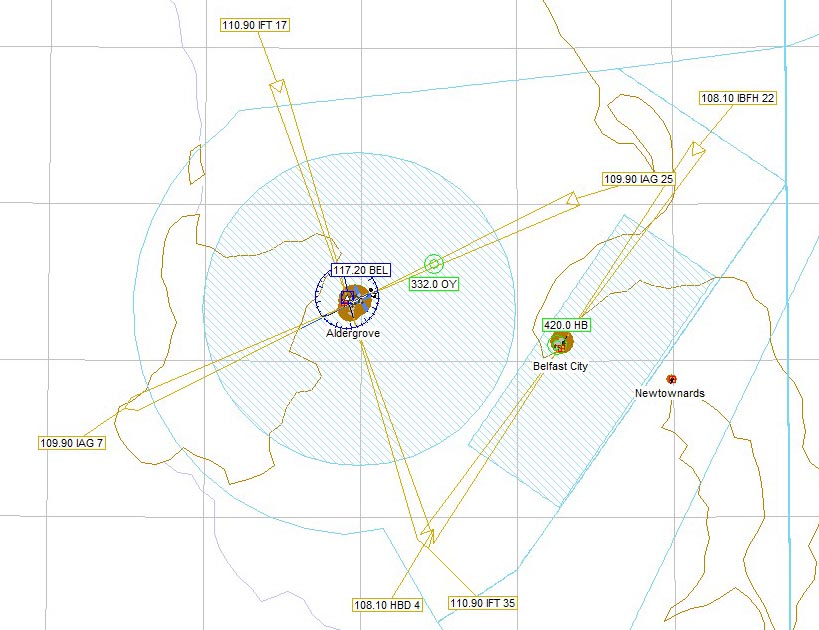
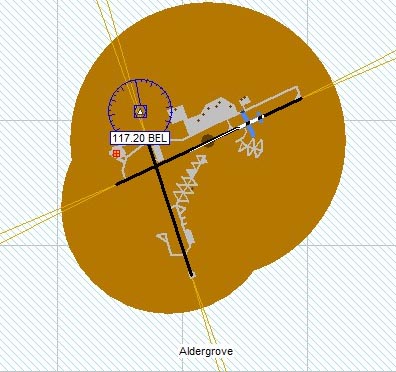
| This is obviously the airport Aldergrove and you can see
the taxiways and my aircraft on one of the runways.
|
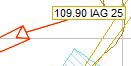
| This shows an ILS approach, frequency 109.90 ident IAG and it is for runway 25 Notice that the arrow is pointing towards the airport. It may or may not have glide slope. 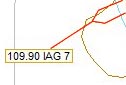
This shows an ILS approach, frequency 109.90 ident IAG and it is for runway 7 | Notice that the arrow is pointing away from the airport. This is a "back course" or BC and will not provide a glide slope. |
|
VOR - VHF Omnidirectional Radio range NDB - Non-Directional Beacon ADF - Automatic Direction Finder ILS - Instrument Landing System VASI - Visual Approach Slope Indicator |
If I have left anything out or you need more help please
Email


